Turn more visitors and enquiries into repeat clients.
Most people who find your clinic aren’t ready to book — they can’t picture the result on their own face. With Lexivo, you give them a better offer: a free analysis of their own skin in your clinic’s own toolkit, with the result simulated on their photo, in about a minute. Put it on your website, in your ads and in every message. Your practitioner’s reply books the consultation; the treatment plan and a fresh analysis bring them back.
Everywhere you
pay for attention.
Lexivo gives your clinic its own toolkit, with your name, your practitioners and your treatment menu in it. It puts a free analysis of their own skin in front of every person you reach: the visitor on your website, the person who taps your ad, every enquiry that went quiet and every past client. In about a minute they see their skin scored and a treatment from your menu simulated on their own photo — and your clinic sees exactly what they want.
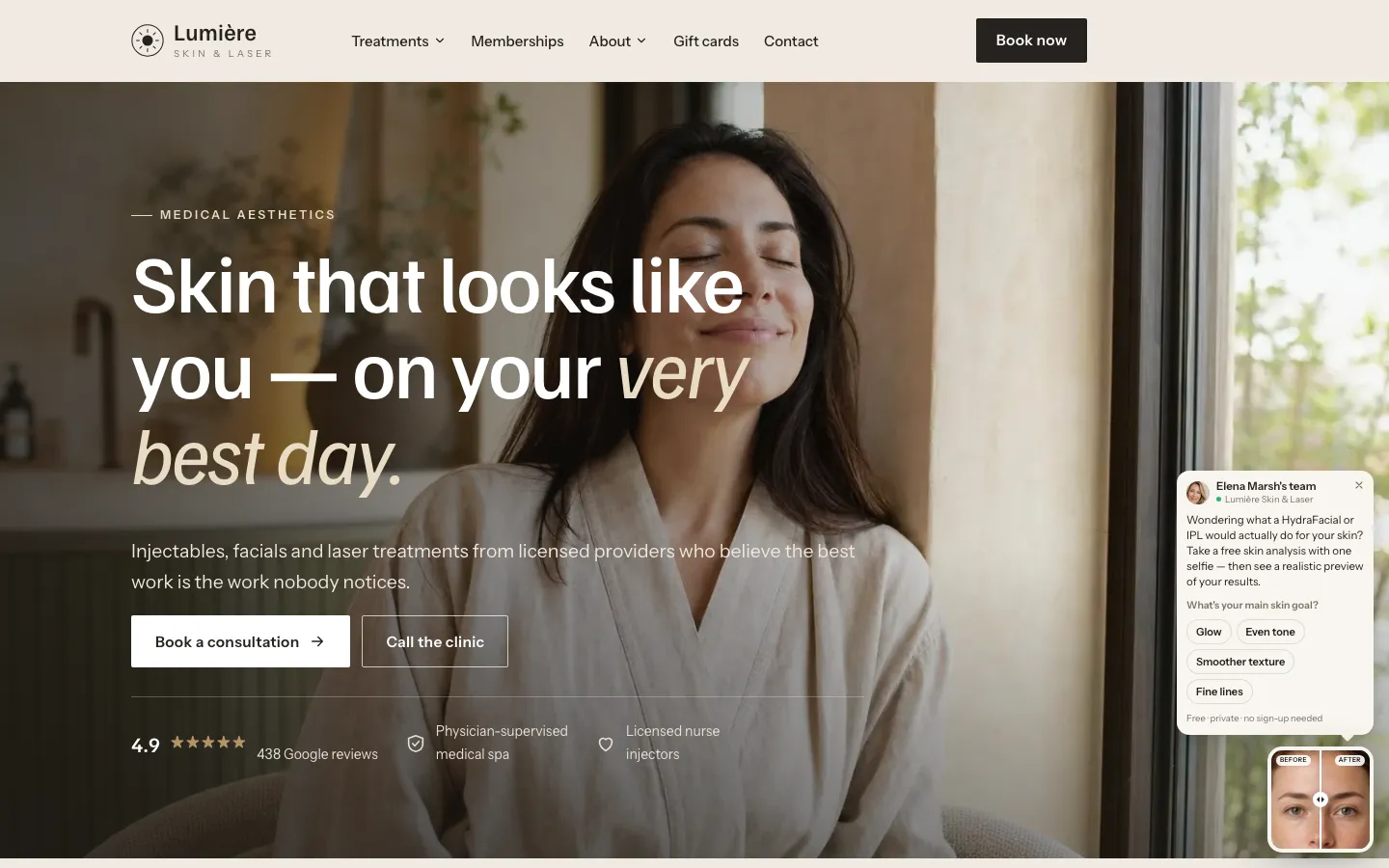
- Your clinic’s own toolkitOn your own address, in your name, palette and treatment menu — never ours. Nothing to download.
- A free analysis of their own skinUp to eleven indicators scored on one photograph, the treatments that fit from your menu, and a labelled simulation of the result.
- A reply from your practitionerWhen they ask for your opinion, a practitioner replies in a note or a short video — the moment they stop comparing clinics.
- A dashboard that brings them backEvery analysis and booking traced to the ad or page that produced it, and a fresh analysis for every past client.
- 01 · Website
On your website
A small before-and-after card, or a “See your skin analysed” button on any page. One tap opens your toolkit.
- 02 · Ads
Behind your ads
A free analysis of their own skin is a better offer than a discount — for Google searches and for your Instagram ads.
- 03 · Enquiries
In every follow-up
A link sent to every enquiry that went quiet: the after-hours form, the missed call, the “just looking”.
- 04 · Past clients
To every past client
A fresh analysis is a reason to come back with no advertising spend attached — and the plan points to the next visit.
more likely to qualify an enquiry when you reach them within the hour, rather than an hour later.
Harvard Business Review, 2011Independent research, cited for context. It describes the market, not results from Lexivo.
The card in the corner of this page is the real thing. Tap it and use the toolkit exactly as a client of your clinic would.
You already paid for the enquiry.
Too many of them never book.
Ads, social, referrals — the enquiries arrive. Then they meet a “thank you for contacting us”, a callback the next day and a treatment menu they cannot picture on themselves. By the time anybody gets back to them, they are comparing three other clinics.
An auto-reply and a callback queue. The clinic that answers first — and personally — usually wins the booking.
A treatment page asks somebody to imagine. People rarely book what they cannot see on their own face.
A booking button asks somebody to commit before they have seen anything about their skin. Most visitors are not ready yet, so they leave.
Same galleries, same “book a free consultation”. Nothing tells them anyone has actually looked at their skin.
- “Can you help with dark patches?”
Website form, after hours.
- “Thank you for contacting us”
Auto-reply. Nothing about her skin.
- Callback → voicemail
She is at work. A message is left.
- Still searching
Three more clinics, three more galleries.
- Booked somewhere else
With the clinic that showed her something first.
The AI creates the wow.
Your reply books the client.
Two halves, in this order. The AI does what no front desk can do at nine at night — a personal analysis and a simulation of their own face. Then somebody from your clinic reviews it and replies, which is what turns a curious visitor into a client who books.
Instant, personal, on their own photograph
You or your team, in a couple of minutes
-
AI
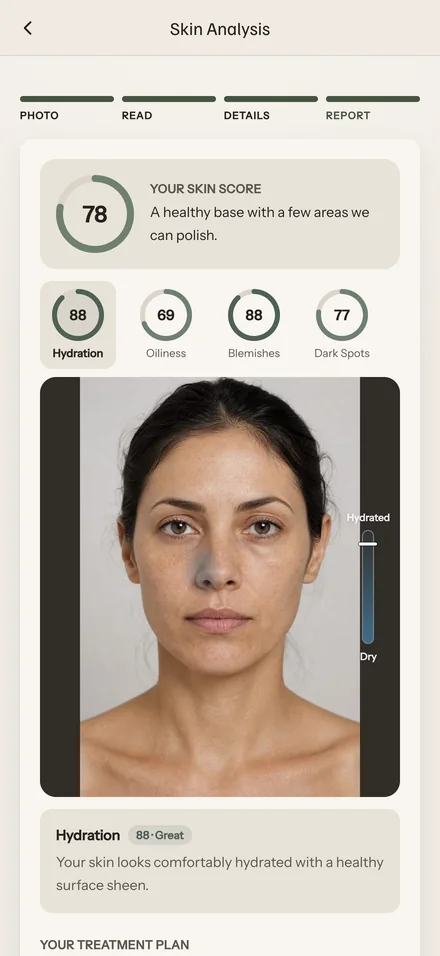 Step 01
Their skin, analysed
One photograph. Up to eleven indicators — hydration, pigment, texture, fine lines — scored and marked on their own face.
-
AI
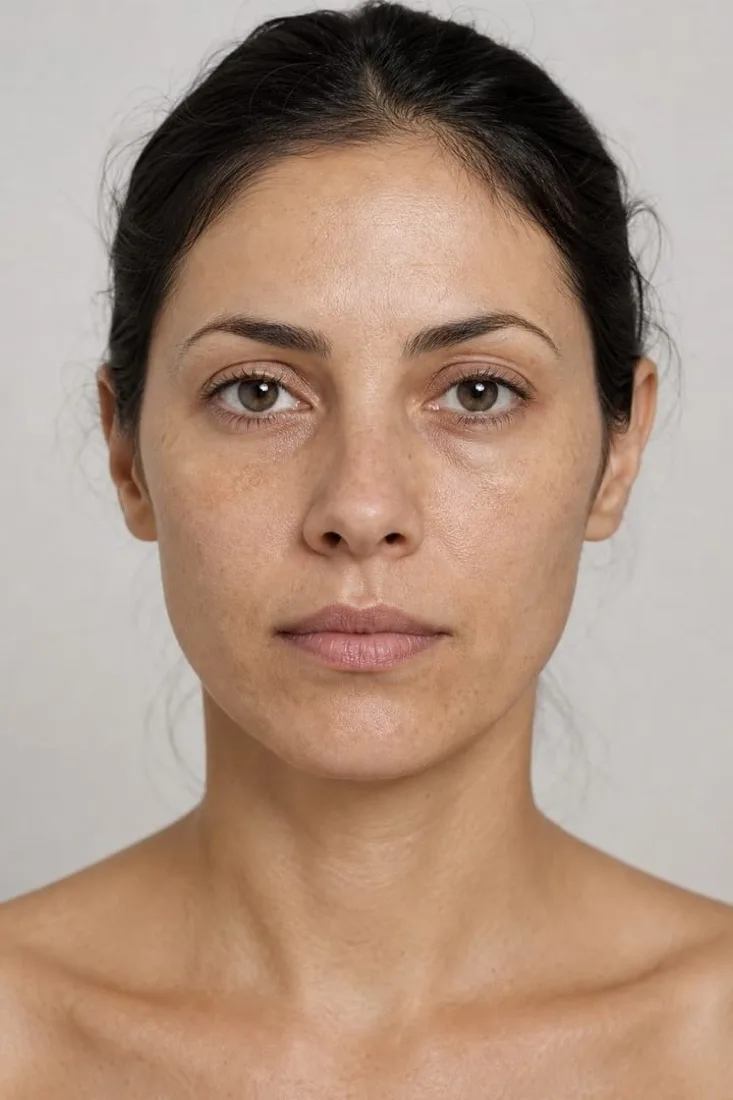
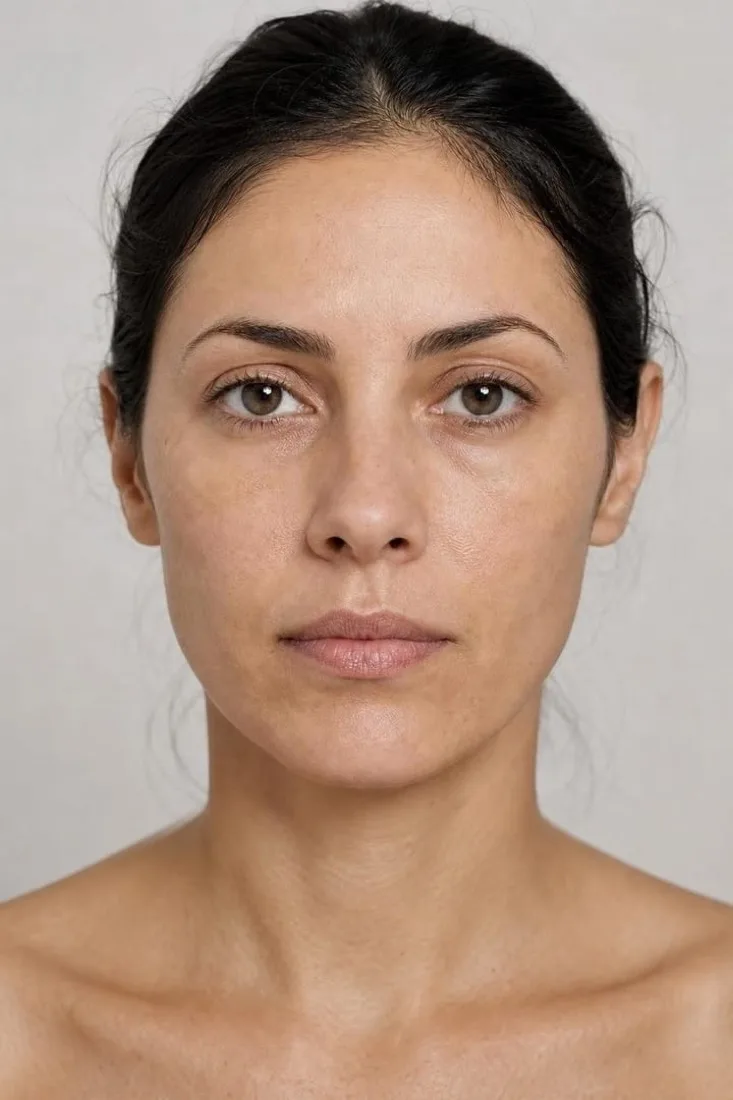 Step 02
Their result, simulated
The treatments that fit, drawn only from your menu — and a TrueRender™ simulation of how they could look after the leading one.
-
YouStep 03
You review it
Their photograph, analysis and simulation arrive in your dashboard as one request. Everything you need to reply, in a single glance.
-
YouStep 04
Your reply books them
A short note or a one-minute video from the person who would treat them. It is the moment they stop comparing clinics.
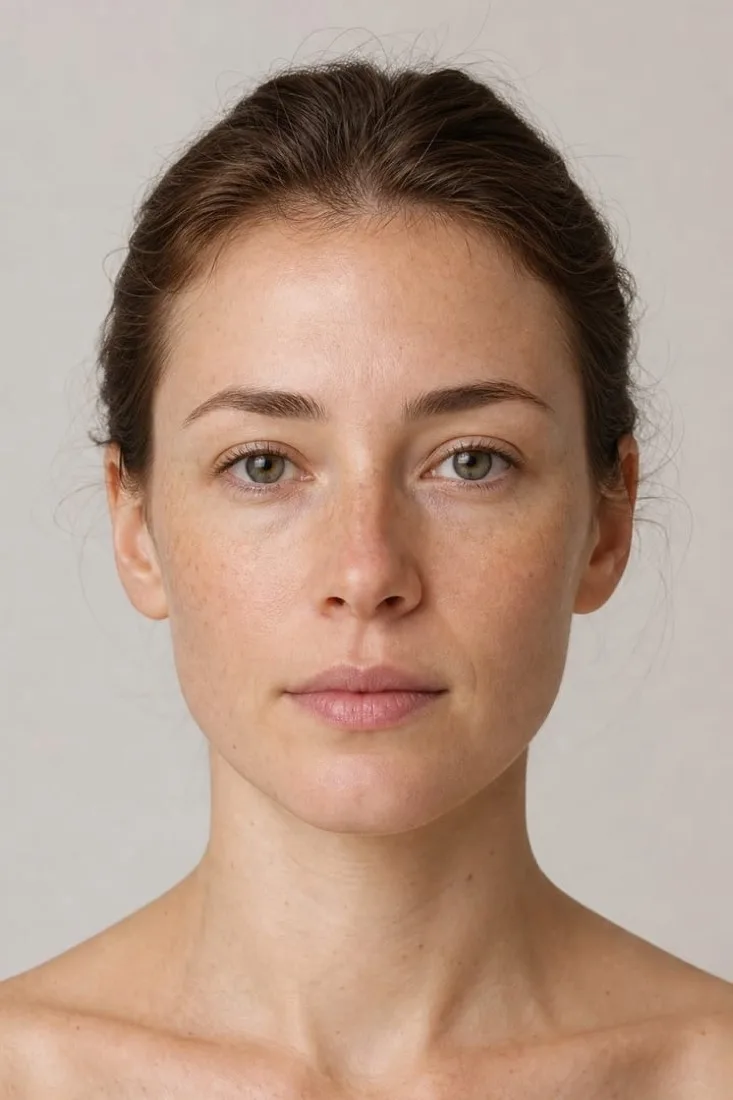
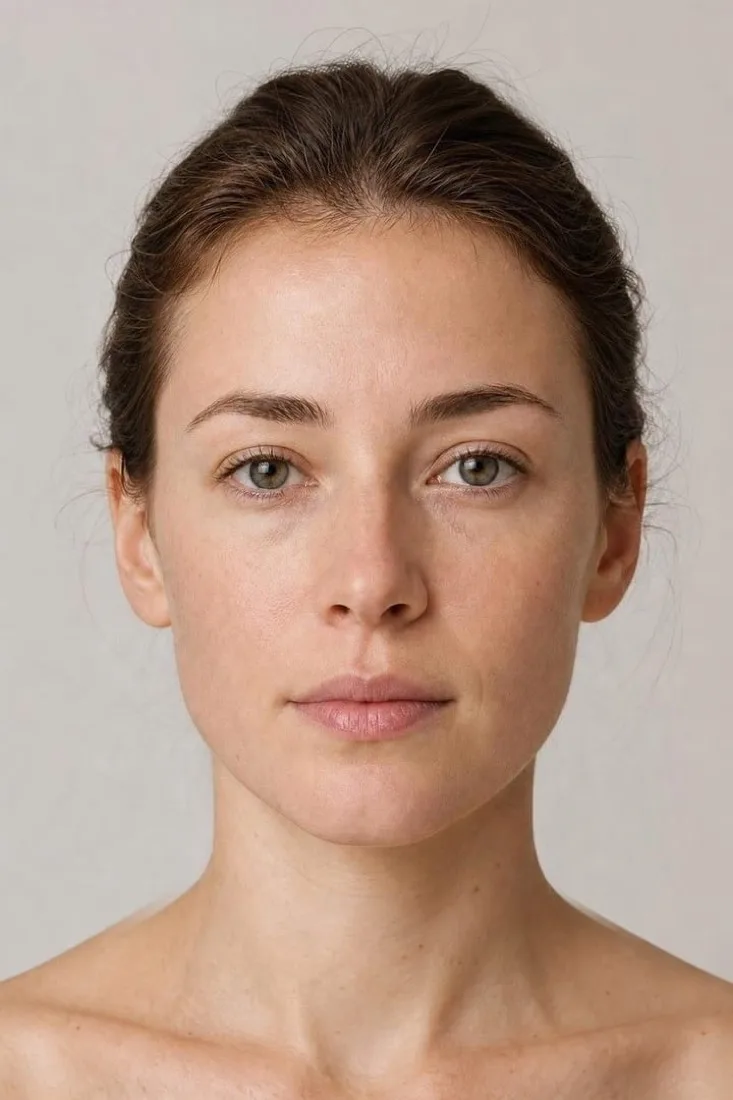
The first booking is the start.
Bring them back for the next one.
A med spa lives on the second visit, and the fifth. Most treatments work best as a series, many need maintenance every few months, and winning a new client costs far more than keeping one. Lexivo is built for the return as much as for the first booking.
A plan, not a one-off
Every suggestion comes from your own menu, and each treatment’s plan sets out its follow-up, its series and its maintenance rhythm. They book the first visit knowing there is a next one.
The person who treats them
Their first reply came from a practitioner at your clinic, by name or on video. That relationship is what a client comes back to — not a booking page.
A fresh analysis for past clients
From the dashboard, send every past client a link to analyse their skin again — a reason to return with no advertising spend attached — and let the follow-up run until they book.
Acquiring a new customer costs five to 25 times more than keeping an existing one, depending on the study and the industry.
Harvard Business Review, 2014more profit from a 5% rise in customer retention, in research by Bain & Company.
Harvard Business Review, 2014Independent research, cited for context. It describes the market, not results from Lexivo.
Anyone can generate a face.
Being right about the skin is engineering.
Send a photograph to an image model and you get something confident, specific and often wrong — which is worse than useless with your clinic’s name on it. Every analysis and every simulation passes through six stages, and every threshold in them is versioned, so two reports are only ever compared when the same rules produced them.
- 1Quality gateLighting, focus and framing judged on their own, before scoring. A refusal names what to change.
- 2Five-pass ensembleEach indicator read
5×on a1536 pxface crop; the median wins. - 3Consensus & evidenceStability, marker agreement and a pixel test against the skin around each mark.
- 4Score & planWeights renormalised over what was seen; treatments only from your menu.
- 5Region-scoped renderOnly the treated region is regenerated, then feather-composited onto the original.
- 6Optical alignmentZoom and offset drift measured and corrected, so the comparison is a comparison.
photo.quality    assessable   # glasses: local, not a retake
crop.score       face → 1536 px long edge, sRGB
reads            requested 5 · usable 5 · min 3
hydration        median 82 · agree 5/5 · HIGH
texture          median 58 · agree 4/5 · HIGH
dark_spots       markers 6 → 2  # 4 failed contrast ≥ 4
dark_circles     unavailable  # glasses over under-eye
overall          77 · 10/11 assessable · renormalised
plan             chemical peel ← texture 58 < p20 61
render.region    face crop → upscaled ~1024 · feather 5%
align            NCC 0.91 → 0.97 · scale 1.018 · dx −6px
output           floor ✓ ceiling ✓ · identity lock ✓
A preservation block the treatment prompt cannot edit away: facial structure, jawline, nose, eyes, lips and proportions; age, ethnicity, hair and expression; lighting, background, camera angle and framing.
The treated region is cropped and upscaled so the model gets far more pixels on it, rendered alone, then composited through a feathered mask — 5% of the crop width. Outside it, the original pixels are untouched.
Drift is measured by normalised cross-correlation on 96 px greyscale thumbnails, scale searched across ±10% in 2% then 0.5% steps. A correction is applied only if it measurably improves the match.
Never duller, redder or older than the photograph. Never more than a skilled clinician could achieve in one reasonable course. The operative instruction: when uncertain, under-improve.
The analysis describes visible appearance in a photograph. It does not name a skin condition and it does not attribute a cause.
It does not judge whether somebody is a candidate, identify what might rule a treatment out, or set device parameters.
Consent is asked before anything is analysed, and photographs are removed automatically once the retention window passes.
Target the highest-intent searches — the questions other clinics ignore.
Every clinic bids on the same few treatment names. What people actually type is a symptom: dull skin, dark patches, the lines that arrived this year. Lexivo sends those searches to a free analysis of their own skin, so the click becomes a conversation rather than a bounce.
Symptom search → AI skin analysis → simulation → your personal reply.
Match each search to the right analysisEleven indicators means eleven kinds of question a treatment page has no answer for.
Give them a reason to engageThe click lands on a read of their own skin, not on a contact form asking somebody who is still deciding to pick up the phone.
Measure booked consultations, not clicksThe Google Ads click identifier and campaign arrive attached to the enquiry, so you can see which searches produced clients.
Why does your skin look tired? Free AI skin analysis
Upload one photograph. See what is behind it — and how treatment could look on you.
Illustrative example. Searches shown are examples of what the analysis can answer, not claims about search volume. Keyword lists and campaign work are part of the Lexivo marketing dashboard that ships alongside the toolkit — you run it yourself, or we run it with you.
Don’t advertise a discount.
Advertise their own skin, analysed.
Most clinics on Instagram run the same ad: a percentage off and a booking link. Point yours at your clinic’s toolkit instead — a free analysis of their own skin, and a simulation of the result. One tap opens it, with no app store and no download, and every consultation it produces is traced back to the ad in your dashboard.
FACIALSTHIS MONTH ONLY · BOOK NOW
glow.skin.clinic Treat yourself this month.
A discount, and a booking page to fill in.

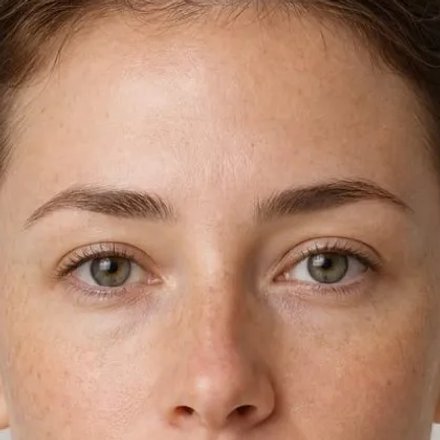
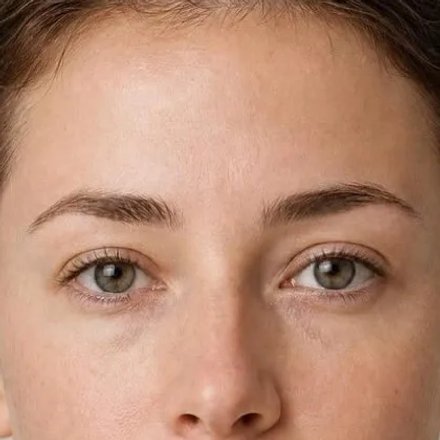
lumiereskinlaser See your skin scored and a treatment simulated on your own photo. Free, about a minute.
Their own skin, analysed, in your clinic’s toolkit.
Opens instantly
The ad links straight into your clinic’s toolkit. No app store, no download, no form first.
Same analysis, same practitioner
Their skin analysed and their result simulated, then a personal reply from your clinic.
Traced to the ad
Every analysis and booking is attributed to the ad that produced it, so you can see which ad pays.
You or your agency run the campaign; your toolkit is where it lands. Keep ads within Meta’s advertising policies — describe the offer rather than suggesting the viewer has a skin concern, and keep every simulation labelled.
The toolkit is the offer.
The dashboard fills it.
Send the analysis to every enquiry and every past client you already have, point ads at it instead of at a treatment page, let the follow-up run while you are with a client — and see which enquiry turned into a consultation.
Send the analysis to every enquiry — and every past client
Send now- Amara K.Uneven tone · enquired in March
- Ines M.Fine lines · consultation, never treated
- Rosalie D.Acne scarring · treated over a year ago
Every past enquiry that went quiet, and every past client, gets a link to analyse their own skin — with no advertising spend attached to it.
What they searched before they found you
Last 30 days| Search | Analyses | Enquiries |
|---|---|---|
| skin analysis near me | 386 | 47 |
| pigmentation treatment | 271 | 39 |
| acne scar treatment | 188 | 26 |
| skin tightening | 155 | 18 |
Keyword lists and budgets are built around the treatments you actually offer.
Follow-up, running on its own
On- Messages sent212
- Opened148
- Ran an analysis61
- Consultation booked39
People who opened get a soft nudge. People who ran an analysis get a different one. Both stop the moment somebody books.
Figures shown are illustrative — they show the shape of the report, not a rate anyone should expect. The dashboard ships alongside the toolkit on one login.
More than 15 med spas already run their own toolkit.
Every one of them ships Lexivo under its own name, palette and treatment menu — never ours.








The ones clinics ask first.
With one short snippet, added once by whoever manages your site; anything that accepts a script tag can run it. It loads after your page, and the toolkit itself only loads when a visitor shows interest, so it adds very little to your load time. On a phone it opens as a full-screen sheet that the back button closes.
Yes. Point the ad at your toolkit’s link: it opens instantly in the browser, with no app store and no download, and every analysis and booking it produces is traced back to the ad in your dashboard. You or your agency run the campaign. Lead with the free analysis rather than a discount, and keep every simulation labelled.
In three ways. The treatment plan a client sees sets out the follow-up, series and maintenance it needs, so the first booking already points to the next. Their first reply came from a practitioner by name, which is the relationship they return to. And from the dashboard you can send every past client a link to analyse their skin again, with the follow-up running until they book.
Whoever you choose — a practitioner, an injector or your front desk. The request arrives with the photograph, the analysis and the simulation already attached, so a considered reply takes a couple of minutes rather than a phone call.
No. It describes how skin appears in a photograph and routes to treatments your clinic has enabled. It does not name a condition, and the consent line a client agrees to before analysis says exactly that, in plain words.
Yes. The treatment menu is a setting in your admin area, and the client-facing suggestions are filtered to it. A treatment you switch off never appears.
No. It runs in a browser on your own address, so it can be linked from a page, an advertisement or a message. There is nothing for a client to install.
Consent is asked before anything is analysed. Uploads are deleted automatically once the retention window passes — ninety days on the skin configuration — by a job that runs on a schedule. Full detail is on the privacy page.
The consultation button points at your own booking page — a scheduling link from the usual providers, or any address you set. Enquiries also land in the Lexivo dashboard, carrying what the client explored and asked.
See the wow — and the reply that books them.
Fifteen minutes. We analyse a real photograph while you watch, simulate a treatment from your own menu, and show you the request and reply that turn it into a booking. No slides.
Watch an analysis run liveIncluding the parts where it declines to answer, which is the part worth seeing.
See a simulation of a treatment you offerYour menu, on a real face, at the quality a client would get.
Send a reply from the dashboardThe human half — the part that turns an analysis into a consultation.
We'll be in touch within one business day.